TabReview
“Make it easier for customers to leave a Google review.”
Tap or scan cards for merchants that take customers straight to the business's Google review page, with an analytics dashboard for the merchant.
Try TabReview Now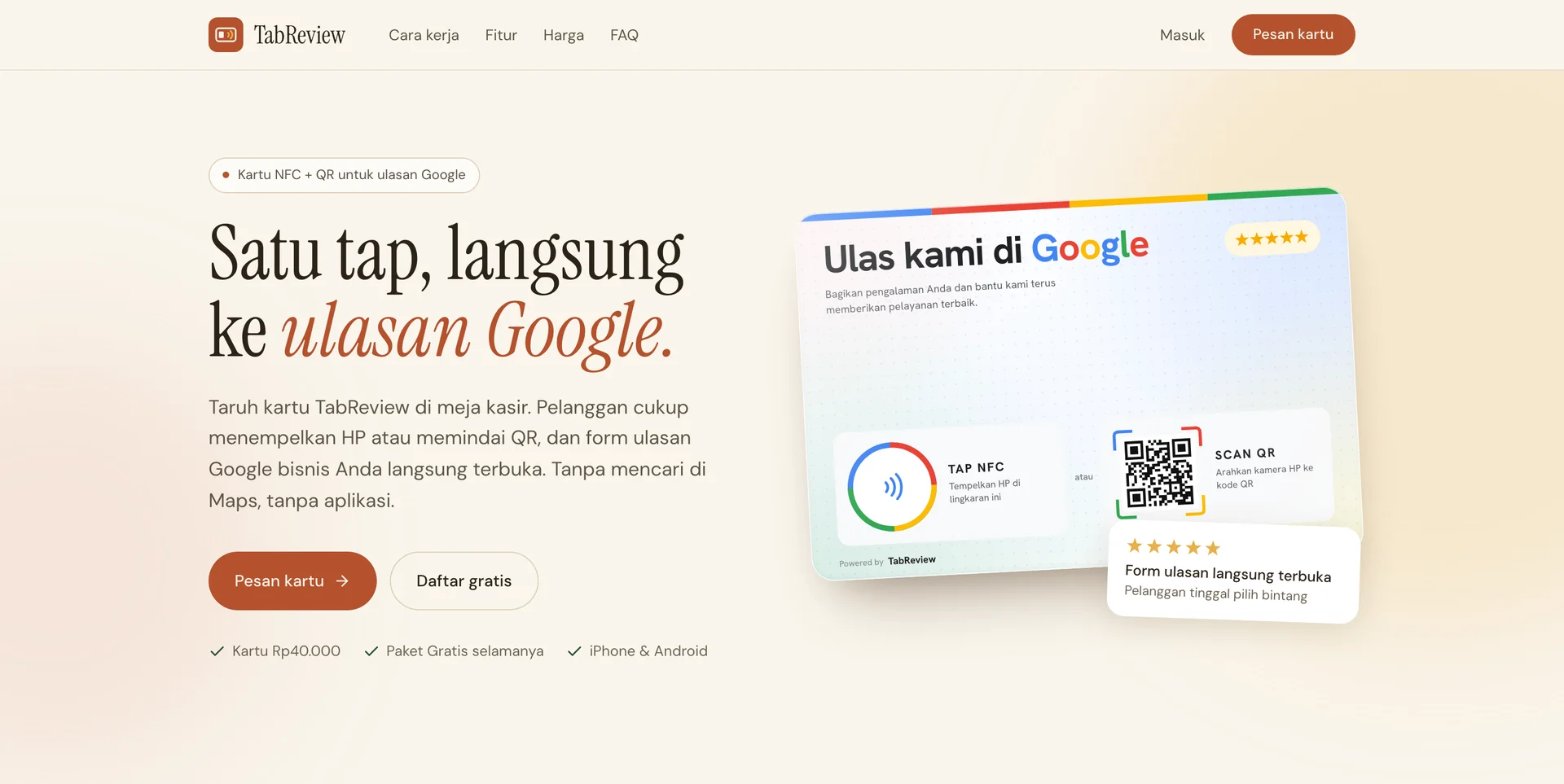
The Story Behind TabReview
For a cafe, salon, workshop, or clinic, Google reviews are the first shop window. New customers read them before deciding to come in. The problem is that happy customers rarely leave a review. Not because they are lazy, but because it is a hassle.
Count the steps: open Google Maps, type the business name, pick the right result, scroll down to the reviews, then tap “Write a review”. Five steps, and every one of them is a chance to give up. Owners can ask in person, but once the customer walks out the door, the intention usually goes with them.
The existing options did not fit either. A plain QR sticker points straight at Google: if the link ever needs to change, the sticker has to be reprinted, and the owner never knows whether anyone uses it. Offering a discount in exchange for a review is no way out either, because Google's policy forbids it.
As a software house that works with small businesses every day, we wanted something as simple as touching a phone: one card on the counter, one tap, and the review form opens. No app, no searching on Maps, fully within Google's rules, and the owner can see whether the card is actually being used. That is how TabReview was born.
What is TabReview?
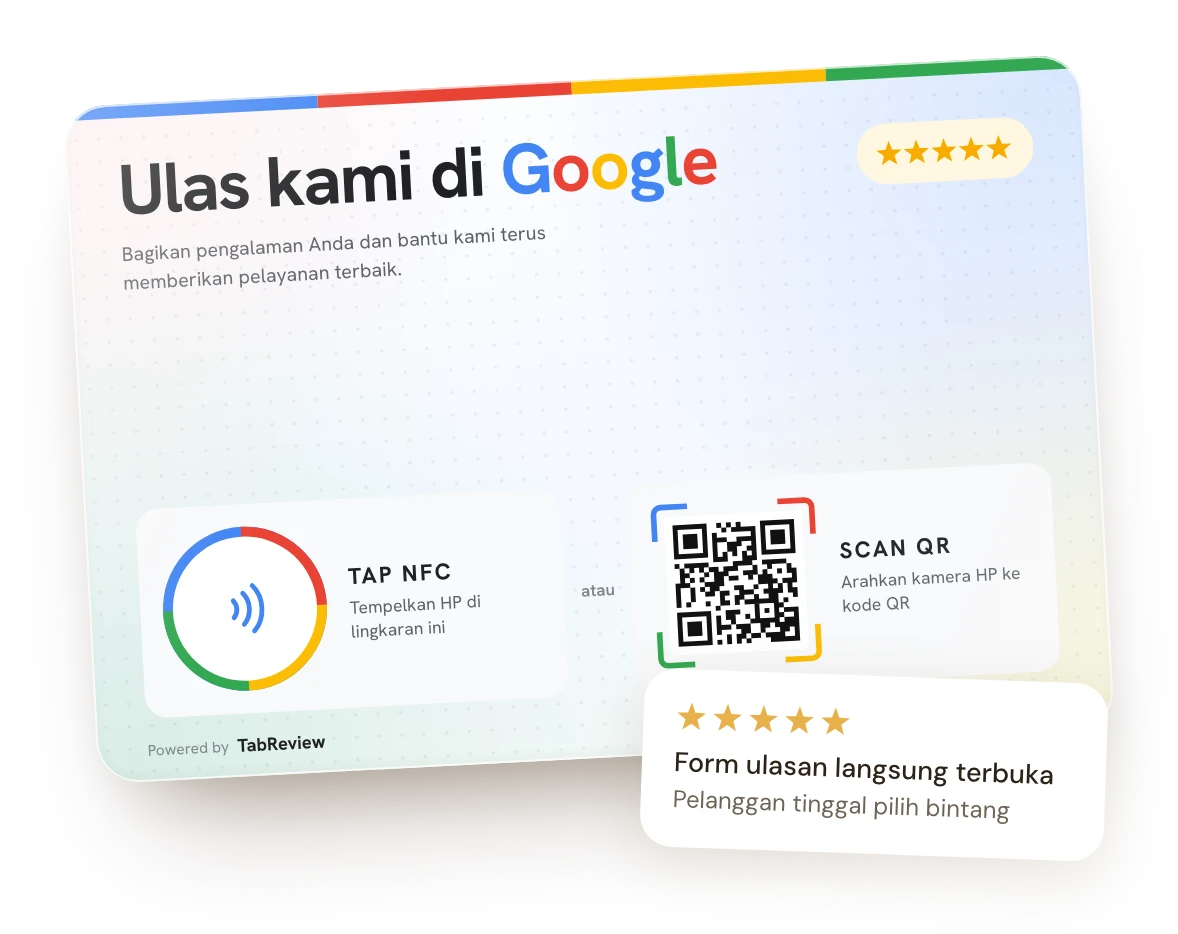
TabReview is an NFC + QR card for the cashier counter that takes customers straight to your business's Google review form. Each card has its own short link that points to our server, which forwards the customer to your Google review page. That is why the card's destination can be changed at any time without reprinting, and every tap or scan is counted in the merchant dashboard.
One Tap, Not Five Steps
- No searching for the business on Google Maps
- No app to install; the review form opens right in the browser
- Tap via NFC or scan the QR, on iPhone and Android alike
- Customers write the review while they are still at your place
How It Works
Place it by the register
The card is a 12 × 8 cm acrylic stand, made for the cashier counter, dining tables, or the reception desk.
Customers tap or scan
NFC phones just touch the circle on the card. Other phones scan the QR code with the camera.
The review form opens
Your business's Google review page opens right away. Customers just pick the stars and write.
Activate it yourself in a few minutes: tap a new card with your phone, enter the activation PIN, then pick your business on Google Maps.
Key Features
NFC + QR Card
- One card, two ways in: tap via NFC or scan the QR
- Works on iPhone and Android, no app needed
- Can be printed with your business name, tagline, and logo
Merchant Dashboard
- Manage every card and location from your phone
- Find your business straight from Google Maps
- Change a card's destination anytime, no reprint
- The Free plan is free forever
Tap Analytics (Pro)
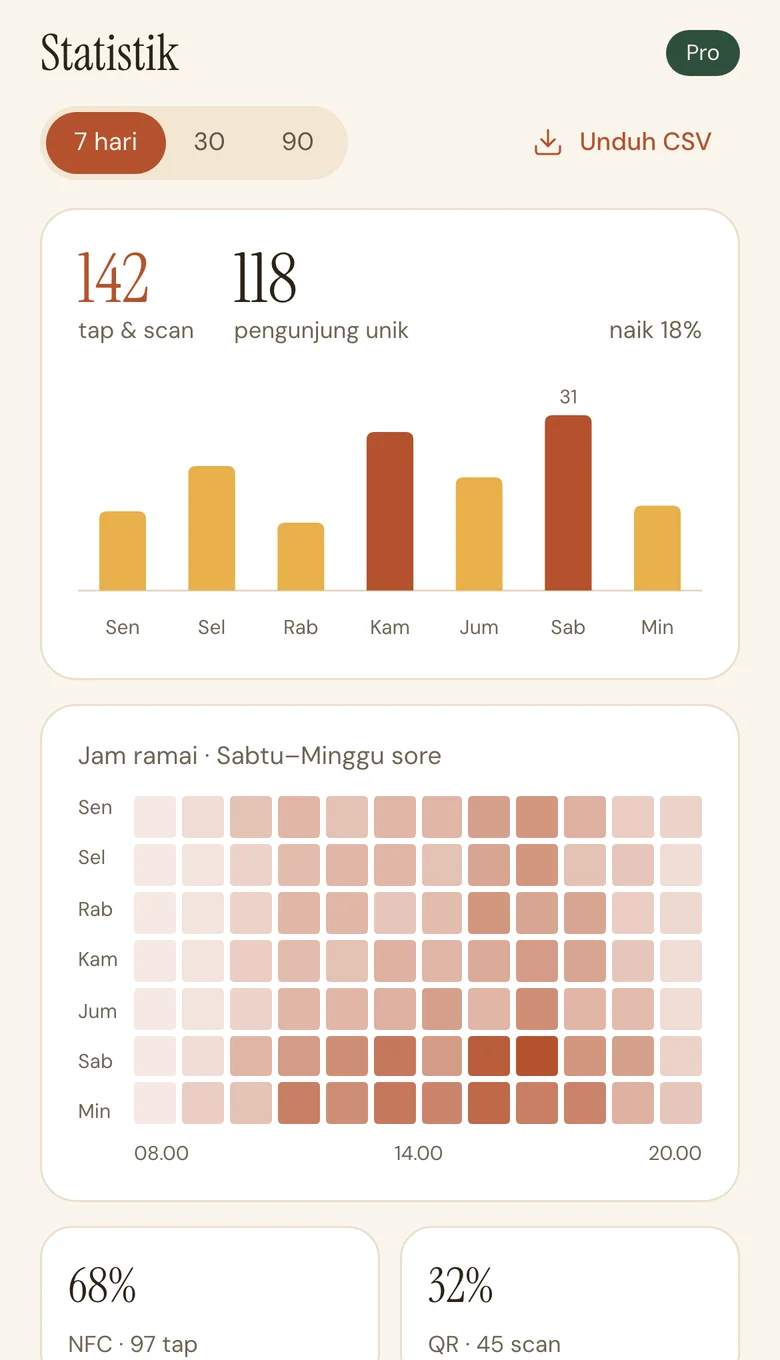
- Taps and scans per day and per hour
- Breakdown per card and per location
- NFC or QR, Android or iOS
- Export data to CSV
Multiple Branches (Pro)
- Several locations under one account
- Each card leads to its own branch's reviews
- Every branch monitored from one dashboard
A Dashboard Made for Your Phone
Every card and location is managed from one dashboard. The screens below use sample data.
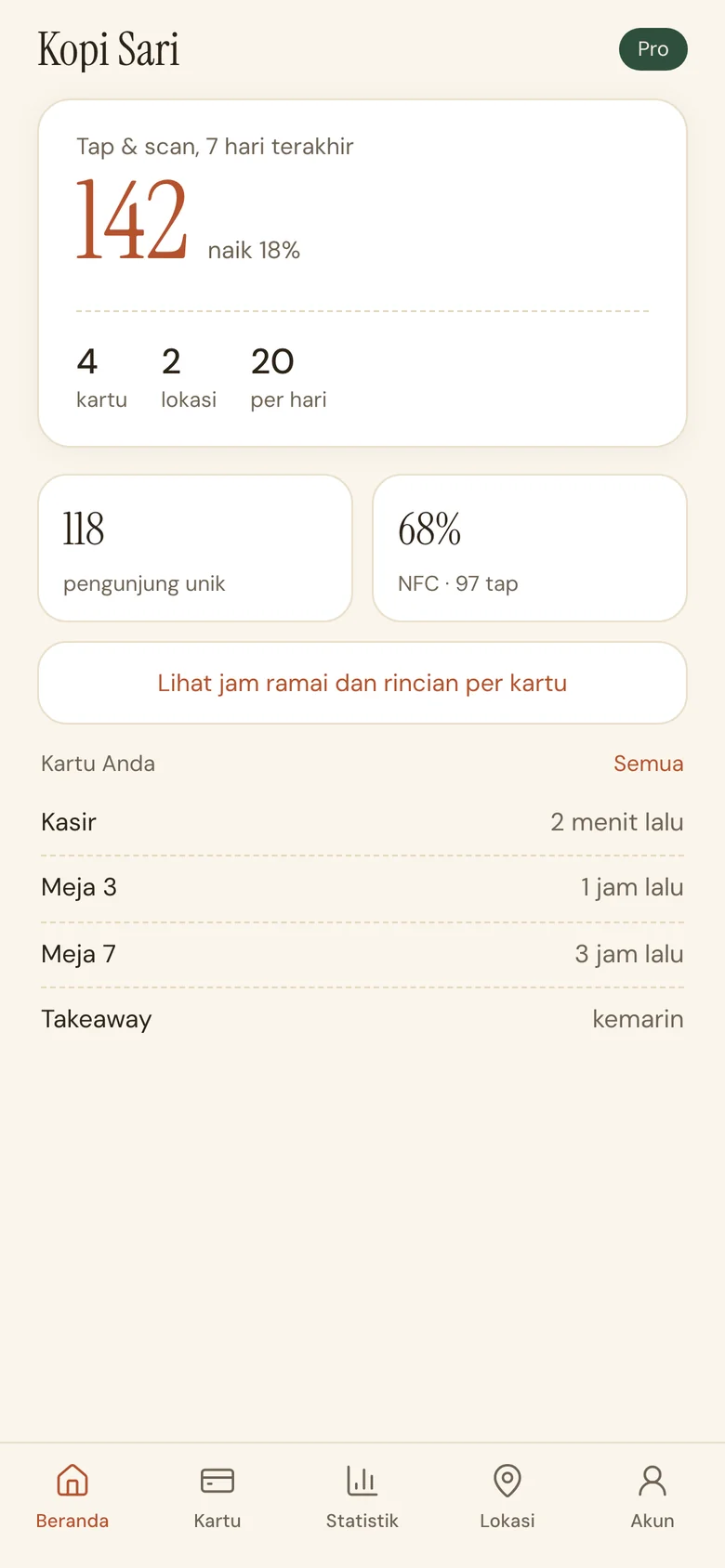
This week's taps and scans at a glance 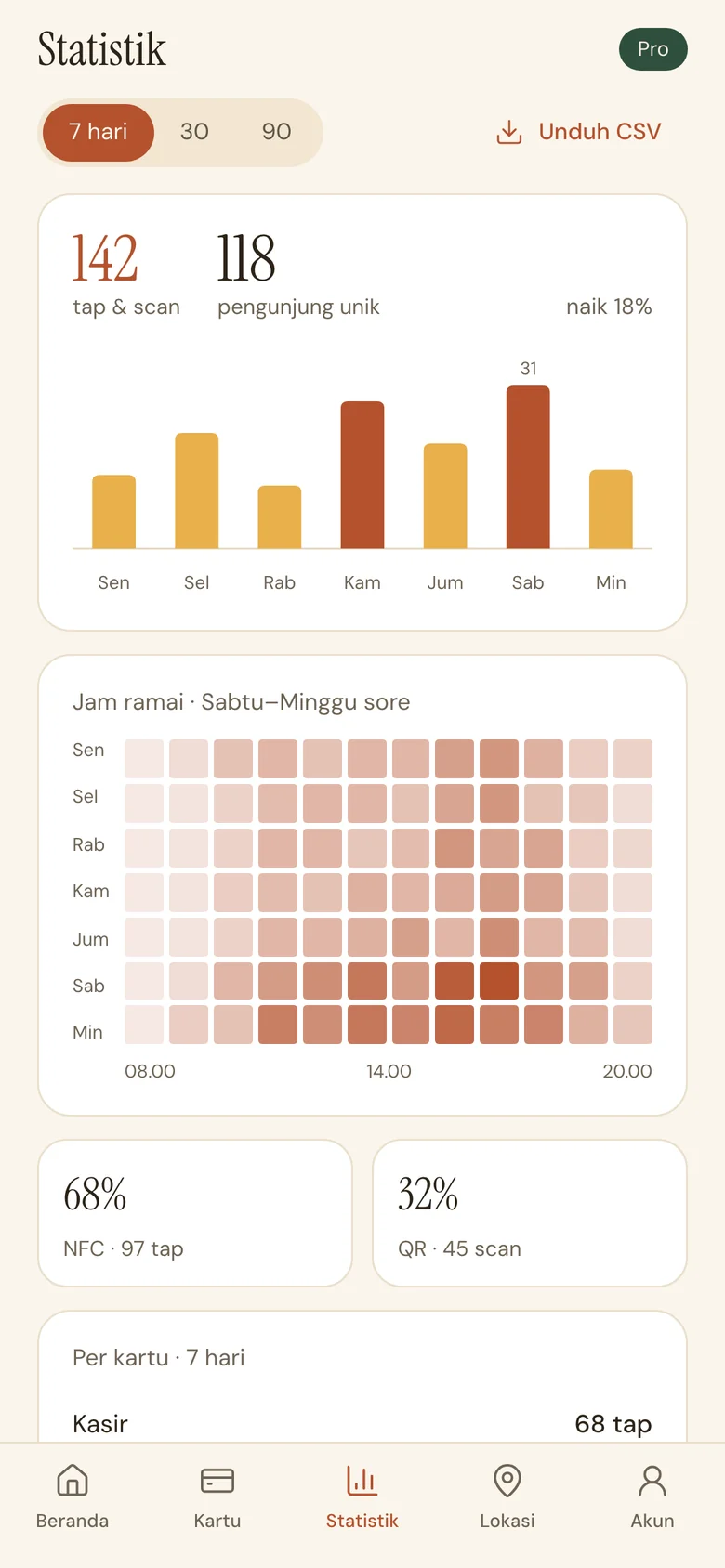
Daily trend and peak hours 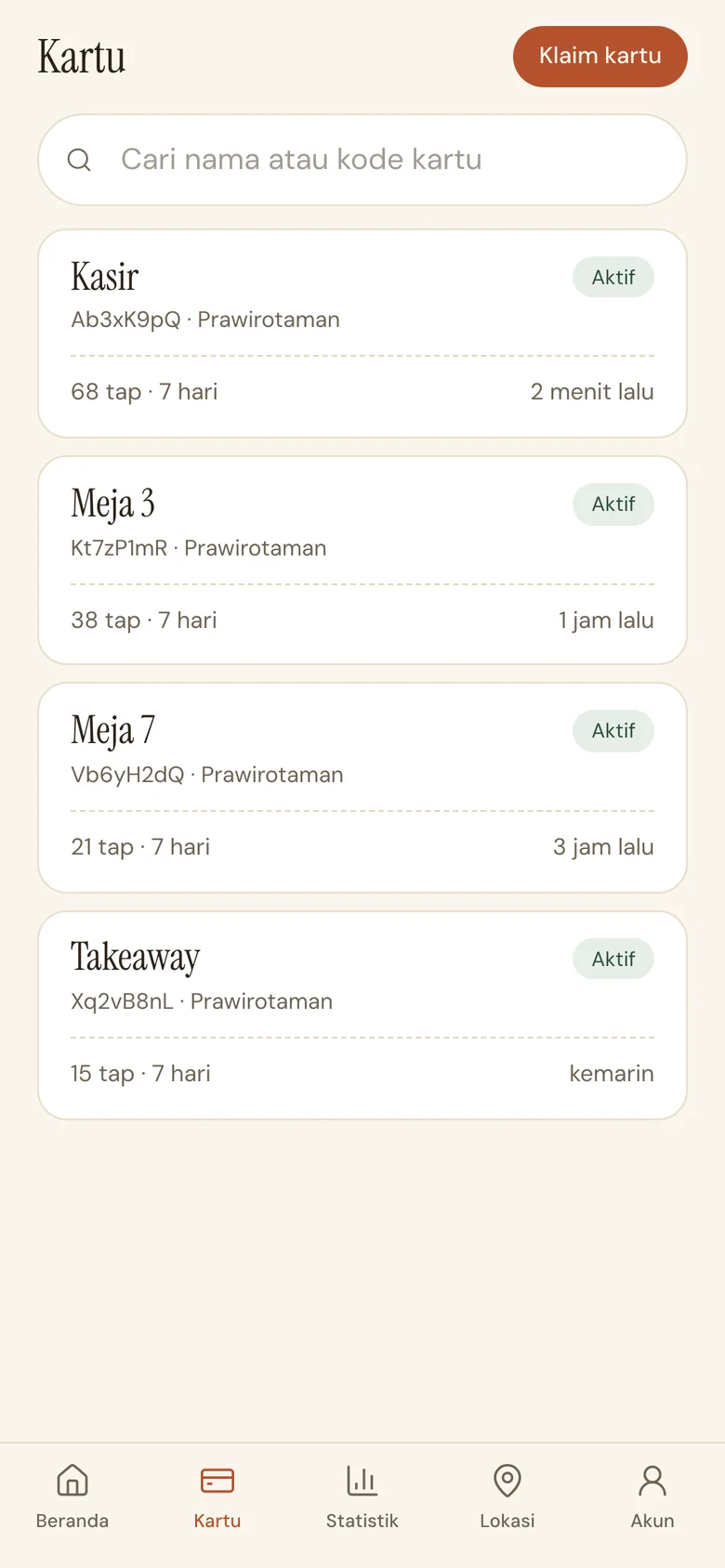
Activity per card 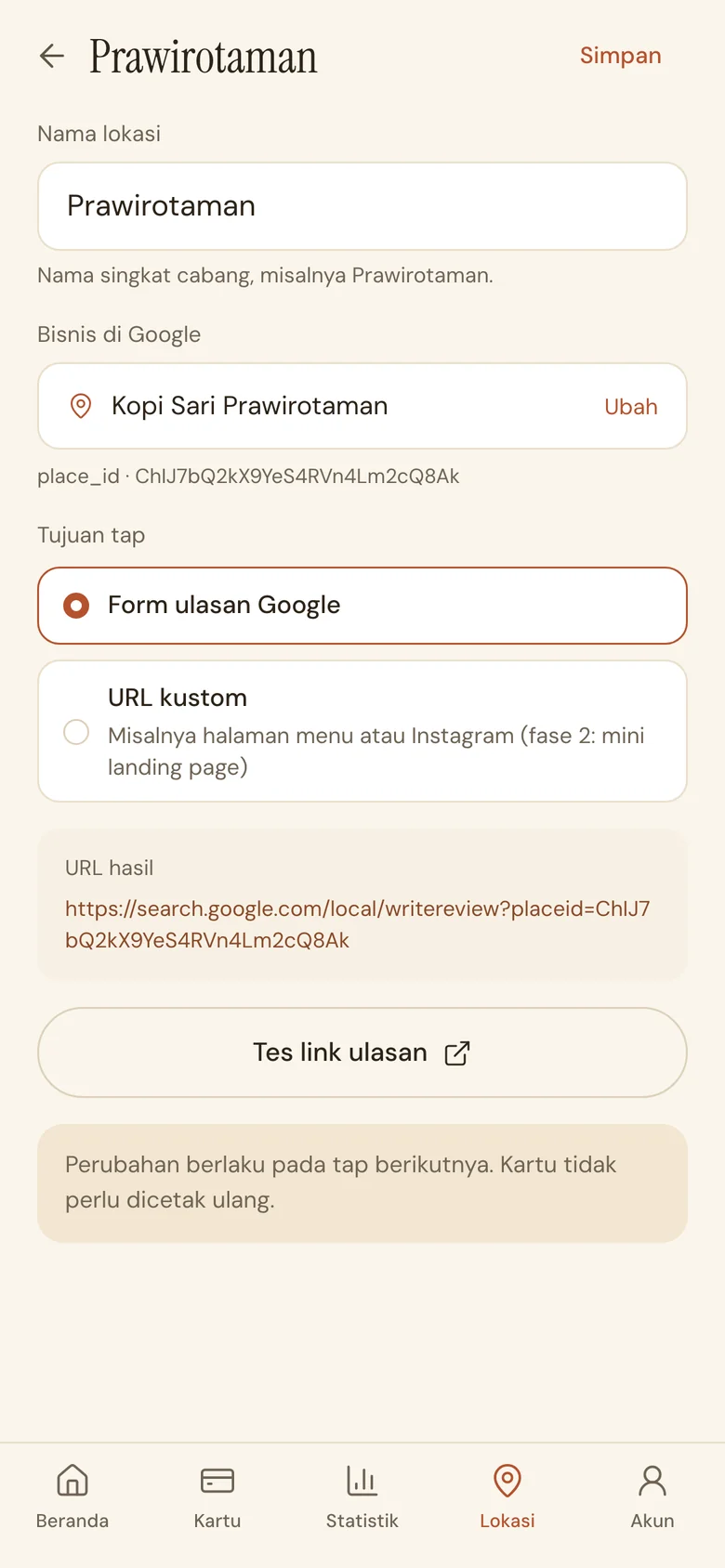
Change the destination without reprinting
Why TabReview?
| The Usual Way | TabReview | |
|---|---|---|
| Customer steps | Search on Maps, 5 steps | 1 tap or scan |
| Changing the link | A plain QR sticker must be reprinted | Changed from the dashboard, anytime |
| Data | No idea whether the sticker is used | Tap stats per card, location, and hour |
| Google's rules | Discounts for reviews break the policy | Every customer goes to Google, no filter, no reward |
Start Collecting Reviews
Buy the card once; the dashboard is free. Upgrade to Pro when you need full analytics or more than one location.
Try TabReview Now